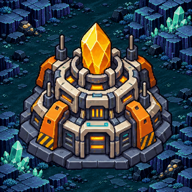
 Riftward Outpost Defense
Player support
Your first miner is already at work. Give the cannon time to fire, then decide where the next load of ore goes.
How do I start?
Choose one opening card, then tap Start defense on the optional boost screen. Both screens advance after ten seconds. The cannon fires automatically. Tap Pulse to push the swarm away from the hull.
What do miners and research do?
Miners earn credits for field upgrades. On Glassreach, spend data in the Tech tree to improve future runs. Miners also collect while the app is closed, up to their storage limit. You can turn on storage alerts in Miners. In version 1.0.1 you can also get weekly reminders while away. Open either alert to bank your haul and choose whether to triple it with a video.
Where are my purchases?
Open the Lab from the bottom bar. The Lab shows your data and credit packs, reserve balances and full-access controls. Use Restore purchases there to recover the permanent unlock with the same Apple Account. Apple provides your purchase receipts. Include the item name when contacting support.
How do I start fresh?
Open settings at the top of the Outpost and choose Restart from the beginning. The game asks for confirmation before clearing your outpost. Unspent purchased currency stays in reserve. You can re-enable an owned permanent unlock in the Lab.
Contact the publisher
Email Matt Thoresen with the wave, planet and iPhone model where you saw the problem. A screenshot can help.